HTML Form tags, Form, input (text box, password, button, submit, textarea) and form attributes
1. Introduction
After completing this module, you are expected to:
- Design a simple form as user information input
In real life situations, you are asked multiple times to fill up forms printed on paper. You supply information about yourself and other data regarding the topic that the form is intended for.
Remember when you applied for a PSHS scholarship? Below is a screenshot of the application form where you supply your information to PSHS in order for you to take the exam. Notice the spaces allotted for an applicant to write their information in. These spaces are represented either as rectangles for writing or boxes for checking or numbers.
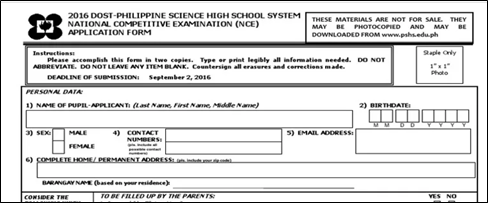
Figure 1 PSHS-NCE Application Form
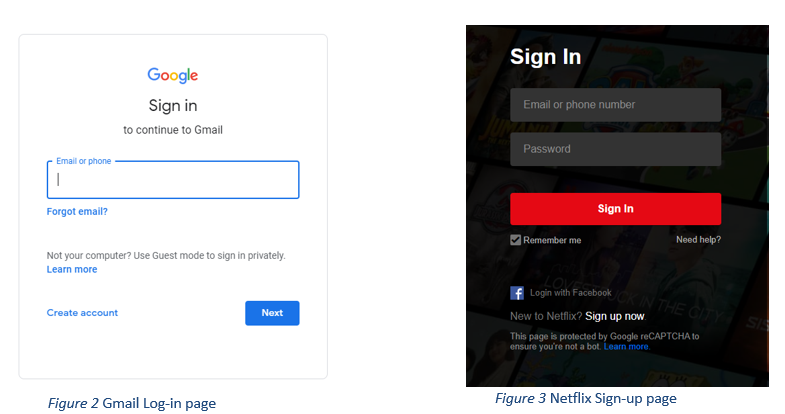
People can also supply information in electronic form. Web Pages also collect information from users in order to render services with the use of an online form. Users are asked to supply data about themselves like email address, username and password. Forms can be seen in log-in pages, sign-up pages, and others. Below are some screenshots of webpages that ask input from the user.
So far, we have learned only a single way of
asking for input from the user. This is by using the prompt() method where a
pop-up appears with a text box and a message for the user. For this module, we
will learn new HTML tags that enable users to type-in information through the
browser.
The HTML tags that we will learn accept different kinds of inputs. One tag accepts single line text only, another accepts only numbers, dates, etc.